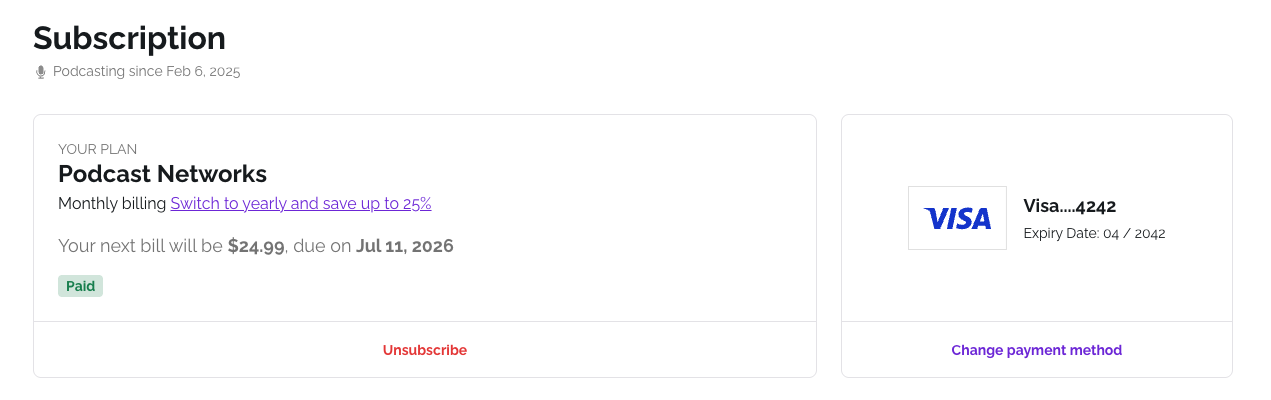
If you are on a monthly plan, you can switch to yearly billing (also called annual billing) at any time and save up to 25%. You can do it yourself from your dashboard in one click.
How to switch
- Click the user icon, open Account, then select Subscription.
- Under Your Plan, click Switch to yearly and save up to 25%.
- Review the prorated amount and confirm.
Your plan is now billed yearly. Your next invoice will show the yearly price.
If you need to switch from yearly back to monthly, contact our support team and we will help.
To check your current plan and billing cycle, see How do I check my subscription status?
Was this article helpful?
That’s Great!
Thank you for your feedback
Sorry! We couldn't be helpful
Thank you for your feedback
Feedback sent
We appreciate your effort and will try to fix the article