Yes, you can turn off PAID at any time on an audio-only show.
Important: Shows with video episodes work differently. Ads are part of video on the Max plan, so PAID stays on for the show. You can still remove every ad position from your audio, which leaves your audio episodes ad-free while your video keeps earning. See how to keep your audio episodes ad-free.
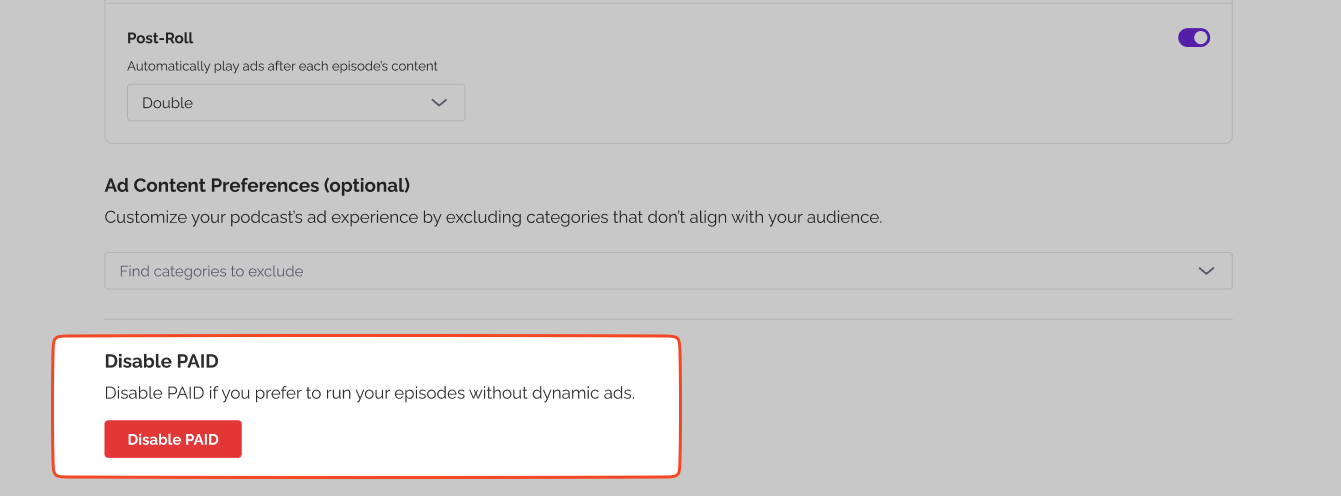
When you disable PAID, your podcast will remain active, however, Pre-Roll, Mid-Roll, and Post-Roll ads will stop appearing in your episodes.
Now, if both your Estimated and Available Balance show $0, disabling PAID means you simply won’t receive future payouts.
If you still have money in either balance, we’ll continue sending payouts to your PayPal account until the full amount is settled. You’ll get an email notification once your final payment has been processed.
Disabling PAID doesn’t cancel or erase your pending earnings. It just stops new ads from being inserted into your episodes.
PAID works at the show level, so it’s on or off for the whole podcast. The one exception is trailers. If an episode’s type is set to Trailer, PAID skips it automatically, so no ads run on it even while PAID is active on the rest of your show. Every other episode follows your PAID settings. You can set or check an episode’s type when you add or edit it (see What are Episode Types?).
Was this article helpful?
That’s Great!
Thank you for your feedback
Sorry! We couldn't be helpful
Thank you for your feedback
Feedback sent
We appreciate your effort and will try to fix the article