The My Podcast page is the home base for each of your shows. If you are new, it gives you a short setup guide that takes you from a fresh account to a live show people can find. Once your show is set up, the same page becomes your overview, with your next steps, your numbers, and tips to grow.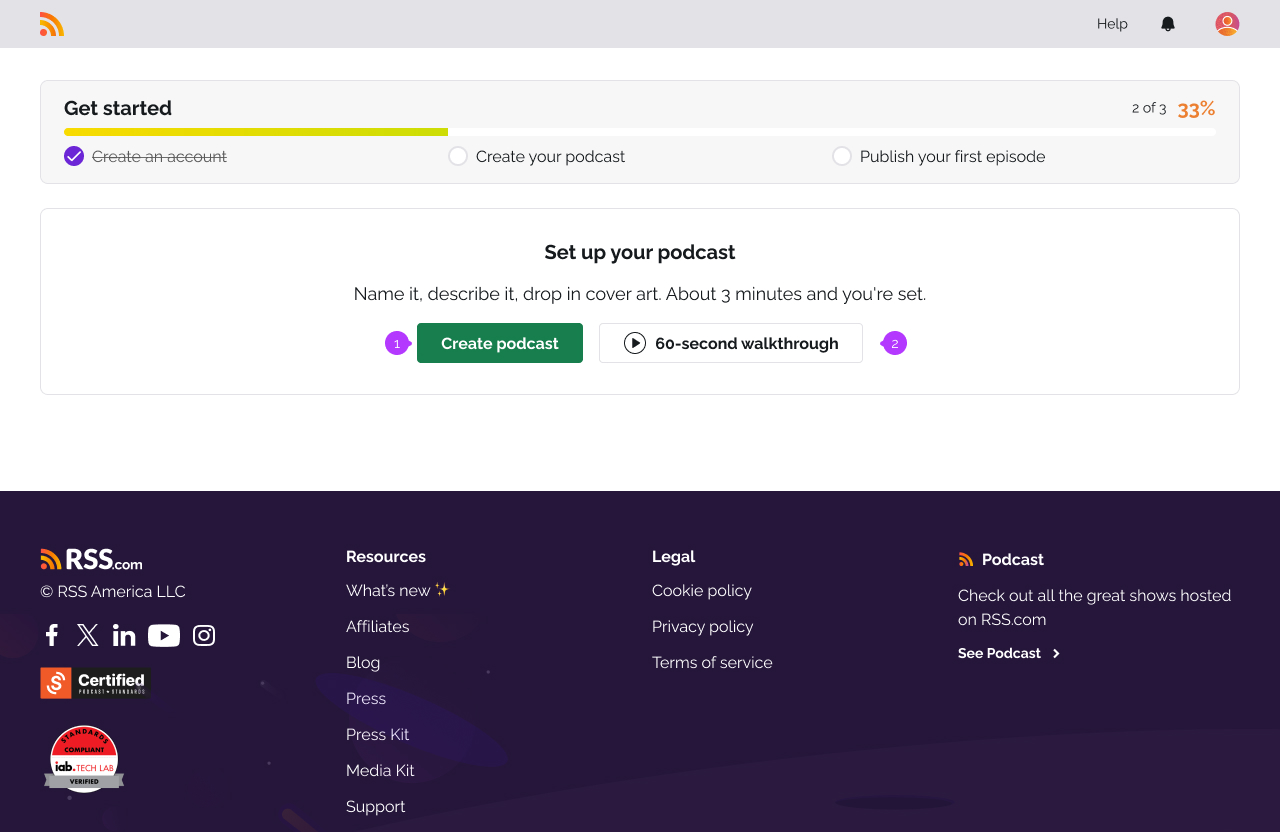
The setup guide for your first podcast
When you create your first podcast, the My Podcast page shows a checklist. Work through it from top to bottom and your show will be live and ready to share. The steps are:
- Create your account. This is done when you sign up, so it starts already ticked.
- Create your show. Add your title, description, and cover art. This is your podcast's profile.
- Add your first episode. Upload your audio and publish it. You need at least one episode before your show can go out to the apps.
- Distribute your show. Send it to the listening apps like Apple Podcasts and Spotify.
- Tell your first listeners. Share your show with people who will listen. More on this below.
The guide saves your place, so you can leave and come back and pick up where you stopped.
Tell your first listeners
This is the last step, and the one most new podcasters skip. It is also the one that gets you your first real listeners, so it is worth the few minutes. A podcast grows when real people share it, and the best place to start is people who already know you.
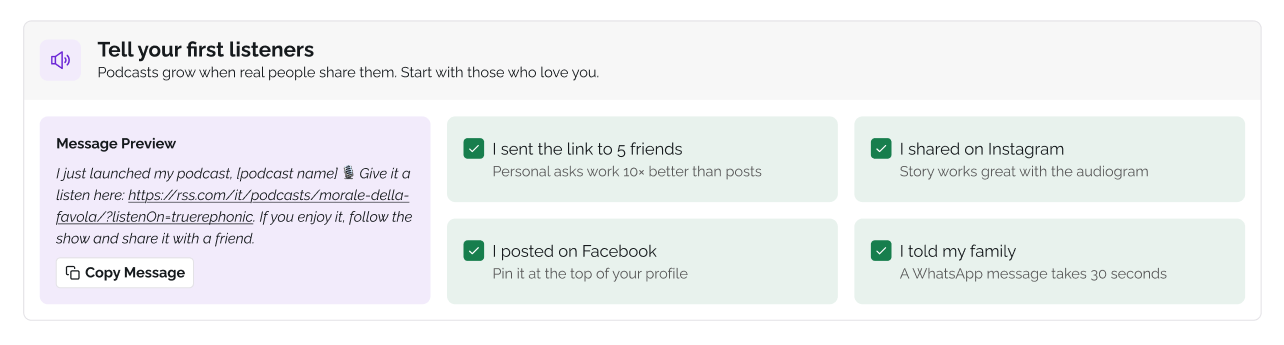
The page gives you a ready-made message with a link to your show. Click Copy Message, then send it wherever you like. As you go, tick off what you did:
- I shared the link to 5 friends
- I shared on Instagram
- I posted on Facebook
- I told my family
A direct message to a friend does more for a new show than a public post that scrolls by. Start there.
Note: These checkboxes are only for you. Ticking one does not post anything, and nothing checks whether you shared. They track your own progress.
Your podcast overview
Once your show is set up, the My Podcast page turns into your overview. It is where you land each time you open your show. It brings together your recent numbers, your next steps, and resources to help you grow.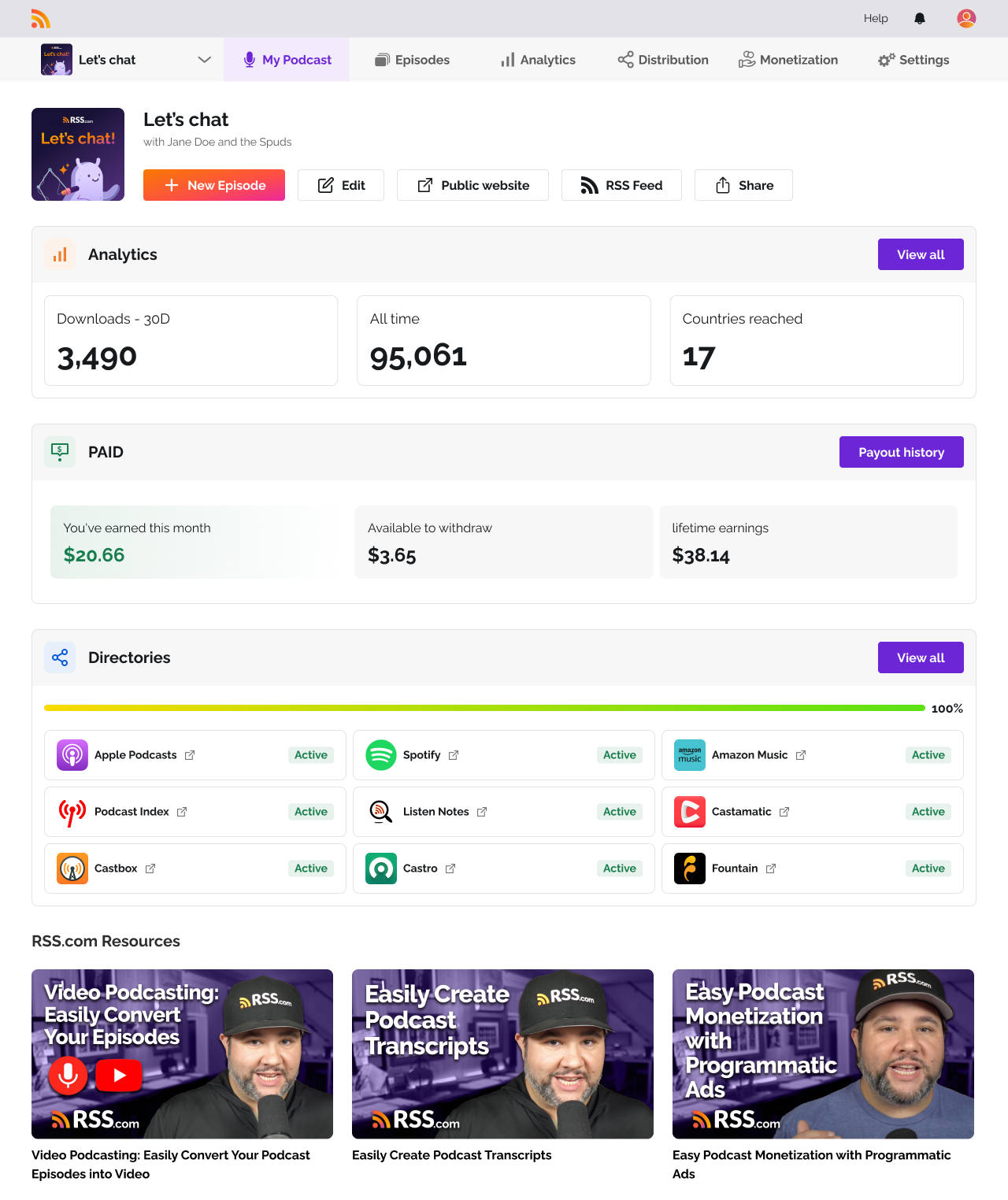
When your show reaches enough downloads to earn from ads, a prompt appears here to turn on monetization.
Your episodes have their own home too. You will find them under the new Episodes tab in your dashboard.
Why don't I see the setup guide?
The setup guide is for new podcasters getting their first show live. If you are on a paid plan, imported a show, or you already have a running podcast, you go straight to the overview instead. Nothing is missing. You are past the setup stage.
Was this article helpful?
That’s Great!
Thank you for your feedback
Sorry! We couldn't be helpful
Thank you for your feedback
Feedback sent
We appreciate your effort and will try to fix the article