There is no download button in the dashboard. You download an episode from your podcast's RSS feed, using your browser's own audio player.
- On My Podcast, click RSS Feed to copy your feed URL.
- Paste the URL into your browser's address bar and open it.
- Find the episode you want.
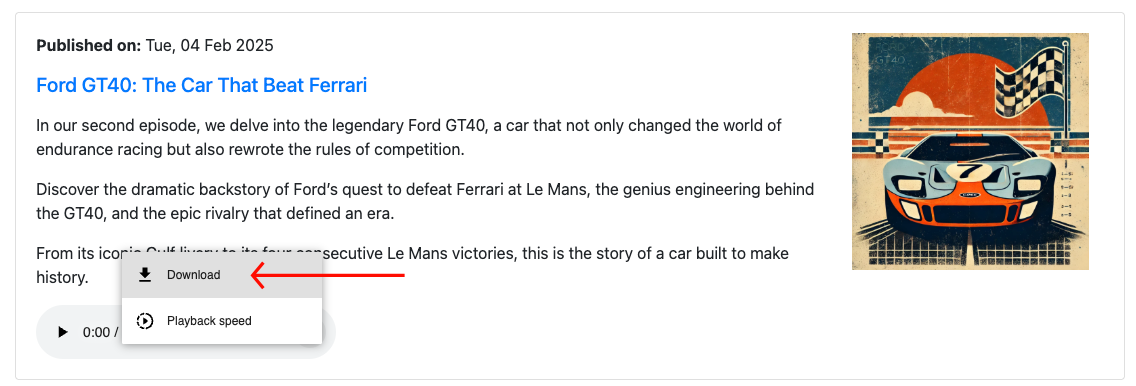
- In Chrome, click the three dots next to the player and choose Download. In Safari or Firefox, right-click the player and choose Save Audio As.
Important: draft and scheduled episodes cannot be downloaded. Only published episodes appear in your feed.
Related: Where do I find my podcast's RSS feed? · Edit or delete an episode · Replace the audio file in an existing episode
Was this article helpful?
That’s Great!
Thank you for your feedback
Sorry! We couldn't be helpful
Thank you for your feedback
Feedback sent
We appreciate your effort and will try to fix the article