Overview
When creating a new episode, the dashboard can suggest the next episode number and display the current season, saving you from manually tracking where you left off. The suggester appears automatically based on your publishing history.
How It Works
Episode Number Suggestions
When you create a new Full episode, the dashboard checks your published episodes for the most recent one that has an episode number set. If one is found, you'll see an assistive text below the Episode Number field:
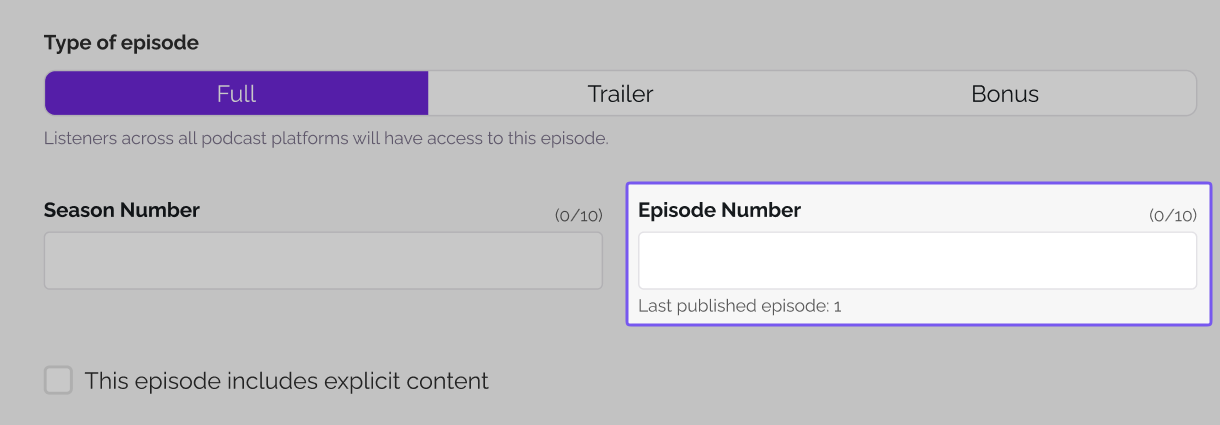
This tells you the last episode number used, so you can enter the next one (e.g., 31).
The suggester will not appear if:
- You have no previously published or scheduled episodes
- You have never set an episode number on any published episode
Season Number Display
If you've set a season number on a previous episode, the dashboard also shows the current season alongside the episode number suggestion:
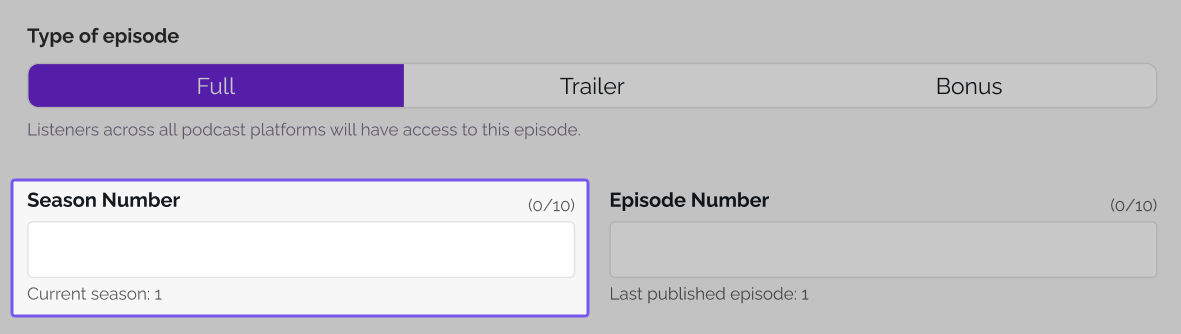
This helps you stay consistent with your season and episode numbering without needing to look it up.
The season display will not appear if:
- You have never set a season number on any published episode
What Counts (and What Doesn't)
The suggester only looks at published or scheduled Full episodes. The following episode types are excluded from the count:
- Draft episodes
- Bonus episodes
- Trailer episodes
This means if your last published Full episode was #30 and you've since published two Bonus episodes, the suggester will still show "Last published episode: 30."
Duplicate Validation
To prevent numbering conflicts, the system checks for duplicates when you save an episode. If the combination of season number + episode number already exists on another published episode, you'll see an error and the episode will not save until you correct the numbering.
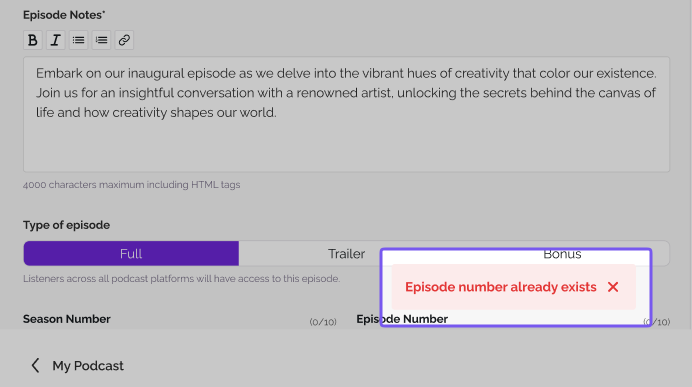
This protects your feed from having two episodes with identical season and episode metadata, which can cause issues with podcast directories and apps.
Was this article helpful?
That’s Great!
Thank you for your feedback
Sorry! We couldn't be helpful
Thank you for your feedback
Feedback sent
We appreciate your effort and will try to fix the article