Another episode in your show already uses that season and episode number. A season can't have two episodes with the same number, so change the episode number or the season number and save again.
How the check works
When you save an episode, the dashboard checks its season number + episode number. If another episode in your show already has the same pair, you'll see an error under Episode number, and the episode won't save until you correct the numbering.
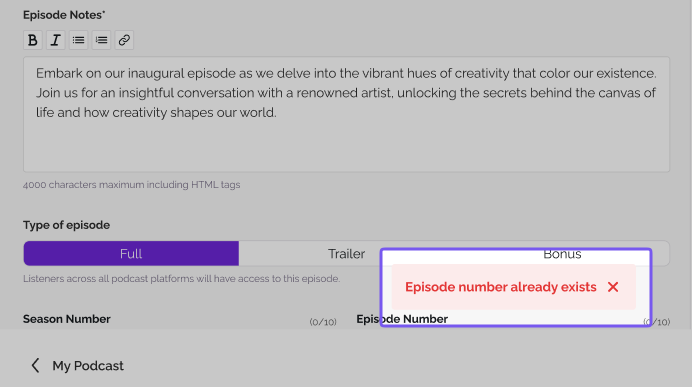
The check covers every episode in your show, whatever its type or status, including drafts and scheduled episodes. It only runs when the episode has both a season number and an episode number.
This protects your feed from having two episodes with identical season and episode metadata, which can cause issues with podcast directories and apps.
Find the next number with the suggester
When you create a new episode, the dashboard can suggest the next episode number and show the current season, so you don't have to track where you left off. The suggester appears automatically based on your publishing history.
Episode number suggestions
When you create a new Full episode, the dashboard looks at your published and scheduled Full episodes and finds the highest episode number in the current season. If one is found, you'll see an assistive text below the Episode number field.
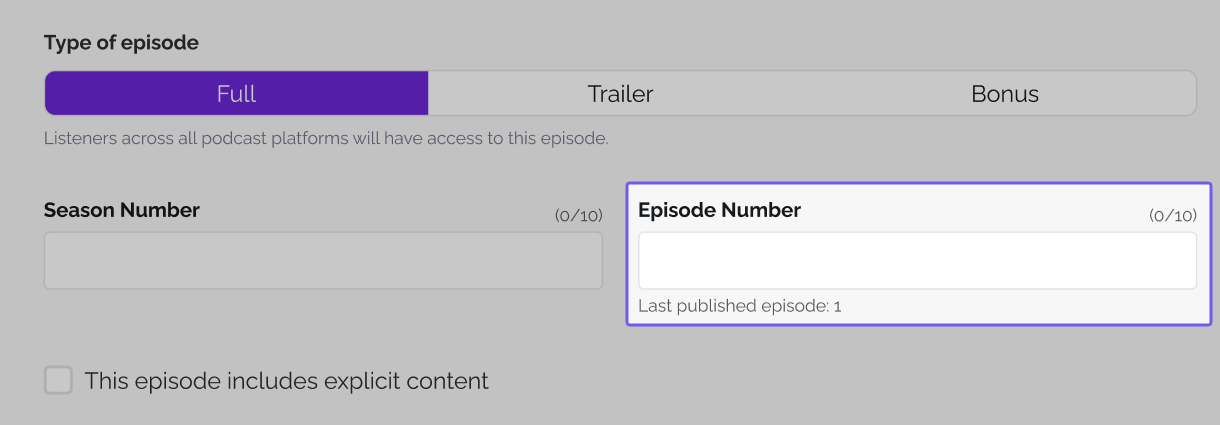
This tells you the last episode number used, so you can enter the next one (e.g., 31).
The suggester doesn't appear if you have no published or scheduled episodes yet, or if you have never set an episode number on a published or scheduled episode.
Current season
If you've set a season number on a previous episode, the dashboard also shows the current season alongside the episode number suggestion.
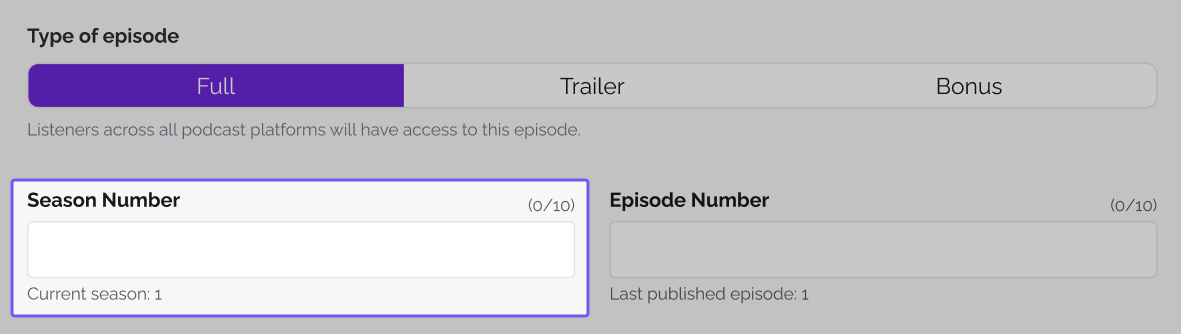
This helps you stay consistent with your season and episode numbering without needing to look it up. The season doesn't show if you have never set a season number on a published or scheduled episode.
What counts (and what doesn't)
The suggester only looks at published or scheduled Full episodes. It leaves out three episode types.
- Draft episodes
- Bonus episodes
- Trailer episodes
This means if your last published Full episode was #30 and you've since published two Bonus episodes, the suggester will still show "Last episode: 30."
The duplicate check does count drafts and Bonus episodes. If the next number is taken, look for a draft or Bonus episode in the same season that already uses it.
Was this article helpful?
That’s Great!
Thank you for your feedback
Sorry! We couldn't be helpful
Thank you for your feedback
Feedback sent
We appreciate your effort and will try to fix the article