Have you recently migrated your show from Spotify for Creators (Formerly Anchor) to RSS.com? Great! Now make sure directories and listeners can find you at your new home at RSS.com by placing a redirect on your Spotify for Creators account.
Important: Do not place a redirect until your podcast is fully migrated to your new feed at RSS.com. To learn how to import your feed, read our article: How do I import my podcast from a different hosting provider?
Redirects work like mail forwarding; They send anyone accessing your old podcast feed URL to your new feed URL. A redirect will also update all the podcast directories you distribute to, so you don't have to reach out to each one individually. We suggest keeping a redirect active for at least 45 days to make sure directories and listeners have time to be updated with your new address.
Where do I place the Redirect?
1. Go to your "Spotify for Creators" account on the web.
2. Click on "Settings" from the right menu.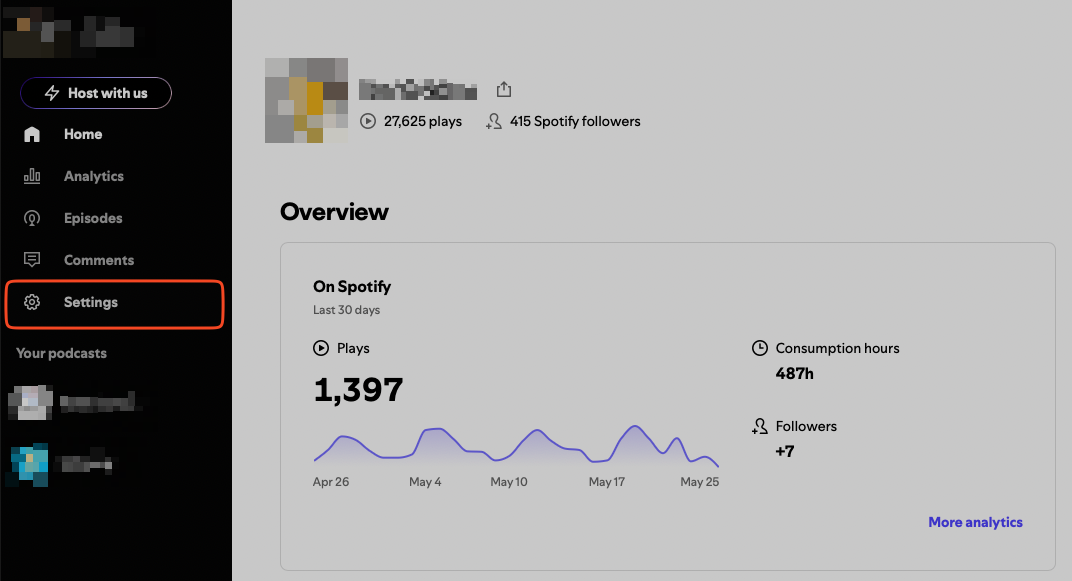
3. Scroll down and click the "Redirect your podcast" option.
4. Add your new podcast feed URL and click the button "Redirect."
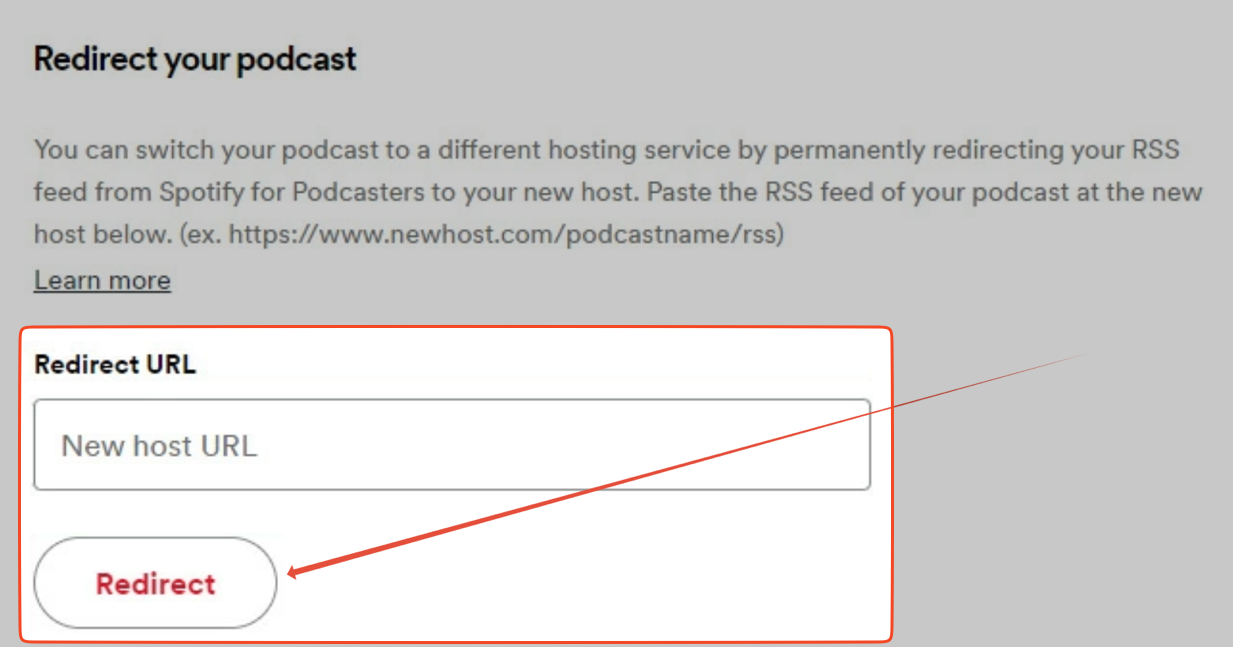
That's it! Now your listeners and podcast directories will be automatically redirected to your podcast's home at RSS.com
Note: It’s not possible to redirect your feed from the Spotify for Creators mobile app.
Testing your redirect
If you want to check your redirect to make sure it's working properly, copy your Spotify for Creators feed URL, and paste in a new tab of your browser. If the address automatically brings you to your RSS.com feed address, then it's working properly!
How to find your Spotify for Creators (formerly Anchor) feed URL
How long to keep your redirect
Leave the redirect in place for as long as Spotify for Creators allows. Before you cancel a paid plan there, check that the redirect stays active after cancelling.
Was this article helpful?
That’s Great!
Thank you for your feedback
Sorry! We couldn't be helpful
Thank you for your feedback
Feedback sent
We appreciate your effort and will try to fix the article